
How a Digital Reset Can Help You Feel More in Control
Looking for a digital reset? We don’t notice digital clutter building up over time. We have 50 unimportant emails in our inbox, five tabs open on our computer, and a long list of unread messages we’ve yet to get back to. It all feels kind of chaotic and while nothing in particular is a problem, everything feels urgent. Which means nothing really feels under control.
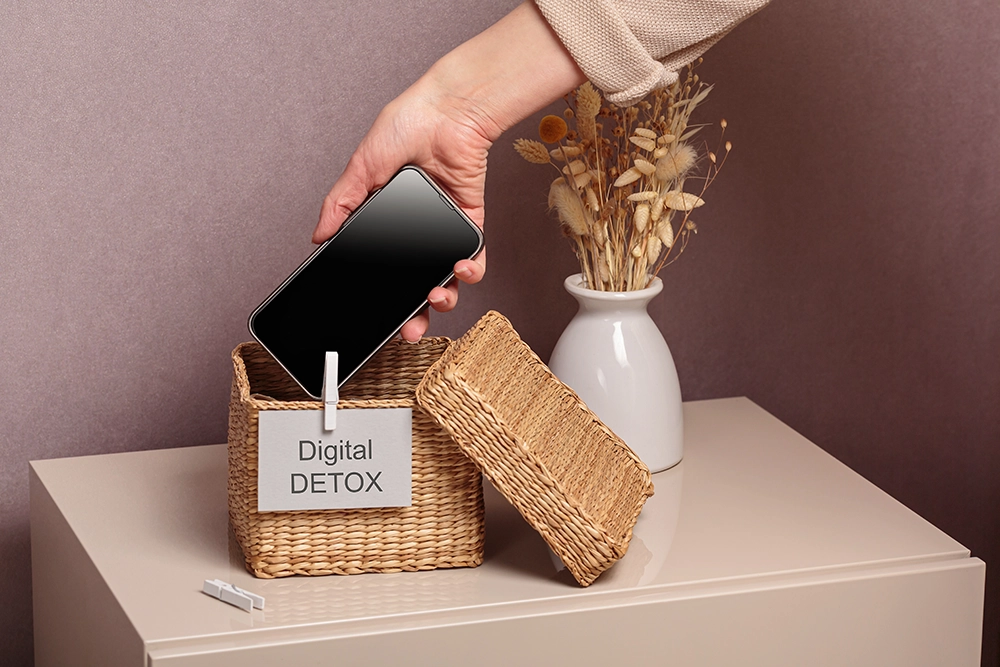
Control tends to erode over time through subtle, often unnoticed, means. To understand how this erosion occurs we simply need to look at the habits that we have allowed to form in relation to our technology. Perhaps the simplest way to restore control is to perform a digital detox and give devices a rest. It fades through habits that go unchecked. A digital reset offers a practical way to steady things again.
The aim is not perfection. It is clarity, calm, and systems that genuinely work for you.
A Digital Reset Your Notifications and Reclaim Your Attention
The sheer number of alerts you encounter during the day can be overwhelming. Every one of them seems important, but collectively they can distract you constantly and turn what should be brief activities into much longer exercises. Regaining control over your alerts is a crucial step in managing your digital distractions.
Review What Truly Needs Your Attention
Go through each of your notification settings on both your phone and computer. The reason certain apps seem so important to you may simply be because you receive notifications frequently. For example, if a family member or partner sends you many messages, you may have their app set to send you notifications as they send them. Similarly, you may have your calendar notifications turned on. On the other hand, the majority of shopping discounts will not expire in a matter of minutes and notifications from social media are almost never time sensitive.
Turn off all unnecessary notifications to see what changes occur. With fewer interruptions to the workflow you may find that you can complete tasks in one sitting, and therefore feel more productive.
Create Structured Check-In Times
Constantly tracking your phone is keeping you in a reactive state. Set specific times to check social media or non-essential apps, and set some boundaries around focusing on work. Moving these apps to a secondary screen will also help limit access.
As you have fewer distractions, you experience fewer interruptions and your attention becomes more stable. Being in a state of high focus, where you have greater control over your schedule and feel less distracted by many different things, allows you to feel more in charge of your day.
Clear Your Inbox and Set New Digital Reset Boundaries
A full inbox can be a big stress trigger because of all the decisions you’re choosing not to make in that moment. Unread emails symbolize the incomplete tasks that you’re not necessarily intending to tackle. They’re almost arbitrary. Reduce that visual load to ease your mind.
Reduce Volume Before Organising
Start by searching for newsletters and promotional emails, then simply un-subscribe from those that don’t enhance your reading experience. Deleting and archiving them gives you almost instant gratification and a tidier inbox.
Conversations you are no longer actively engaged in may be marked as archived. These conversations are still searchable but will no longer be displayed in your main chat list.
Introduce Simple Structure for your Digital Reset
As my email count climbs, I’m forcing myself to make a few basic folders, including “Action”, “Waiting on Others”, and “Personal” so that I can deal with incoming emails without letting them hang out in the inbox forever. I really don’t want to have to ponder the perfect spot for each message all day long.
This change of habit is further supported by limiting how often you check your email. Trying to check your email only 2 or 3 times a day is easier to manage then constantly refreshing your email program. This helps to move you from being a reactive person to one who thinks before they compose an email.
Tidy Your Digital Documents and Simplify What You Share
We save things to lots of different places because it’s easy to do so. And putting things away isn’t really a priority. So, over time, documents become harder to find and there is more uncertainty about whether the version we have is up to date.
Build a Clear Folder System for your Digital Reset
Create folders for the things that actually exist in your life – your job, school, your hobby, your admin stuff. Once you’ve created them drag and drop the appropriate documents into the relevant folder. Be sure to rename the document with the intention that you’ll actually understand the purpose of the file when you open it months later. Also, leave the date in the name of drafts so that you can tell the difference between versions without having to open the file.
I remove outdated copies to avoid confusion. I work in an office where I regularly search for files. If I had a huge collection of unnecessary versions these searches would take up more minutes than I’d like to spend sitting here.
Improve How Your Documents Look and Function
The presentation of your work has a huge impact on how it is received. Large, heavy PDFs with lots of colour may be flashy but they can obscure the content and, in many cases, it is more important that your work is clear than that it looks pretty. Some students make a PDF greyscale so that their text really stands out. Similarly, creatives make their portfolios look pretty to showcase their work.
I organize my PDFs and make tweaks to fonts to make it easier to share. Getting to the meat of the matter quickly is very impressed-provided that it’s taken the time to think about others when crafting a lengthy email.
Refresh Your Devices and Update What Matters
Even the most organized systems can prove to be frustrating when your devices slow to a crawl or malfunction unexpectedly. The less stress you have in your life, the more you’ll appreciate the value of routine maintenance.
Update Software and Clear Unused Apps
If you want to improve your computer’s performance make sure your system is up to date. Updating your system is a great way to increase the security of your computer as well as enhance the speed at which it functions. Your computer may run more efficiently once the updates are installed.
Check your installed apps to see if there are any you never really use. Uninstalling less frequently used apps will help clear up storage space and make your home screen less cluttered and easier to manage.
Streamline Your Browser and Back Up Important Content
Internet browsers can easily become cluttered with dozens of extensions and hundreds of bookmarks and other items we save along the way. Removing unused browser extensions can improve browser performance and prevent issues while trying to access sites online. Similarly, saving bookmarks or other items to relevant folders such as Evernote can make it easier to find the items we need.
Backup your important files to give you piece of mind. Securing your documents and photos in a safe place reduces the likelihood of them being lost, giving you a greater sense of security in your daily life.
Reset Your Digital Habits for Better Balance
Organization creates the structure for change, but habits determine if that structure holds up over time. Without small changes in behavior, clutter will continue to build up.
Set Realistic Screen Time Limits for your Digital Reset
Most devices have built-in screen time tools. Tracking how much time is spent in individual apps can help identify trends and patterns. Once you see your own personal metrics, changing behaviors may seem more reasonable. Setting specific app limits can help curb mindless use and conserve time for schoolwork, work or sleep.
Put your phone in a place where you have to get out of bed to get it. This will deter late night scrolling. Better sleep leads to sharper focus for the next day of your resets.

Curate Your Online Environment
Social media has a larger impact on our mood than we often realise. Unfollowing negative accounts and only reading posts that are either educational or inspiring can dramatically change the way we interact with social media.
Making small changes to your everyday behaviour can change your relationship with technology over time. In time you may find that you are living more balanced and technology use no longer feels like a chore.
Commit to One Simple Shift This Week
There’s no need for a digital overhaul: small changes can add up to make a big difference. Reduce notifications, clean out your inbox and make digital documents feel more organised and you’ll find your daily life just easier. Once you’ve got back in the groove of life off line, you’ll also start to feel the rewards of a digital reset, too.
Begin by focusing on one area that could use a little tidying up and feels a bit chaotic. As you start to see progress, your confidence will grow and motivate you to keep going.
Authority comes from a series of choices. All changes make a digital system stronger and lead to feeling more composed and less confusing.